From the blog
Roofing Contractor Website Lead Generation: The 48 Hours After a Nashville Hailstorm
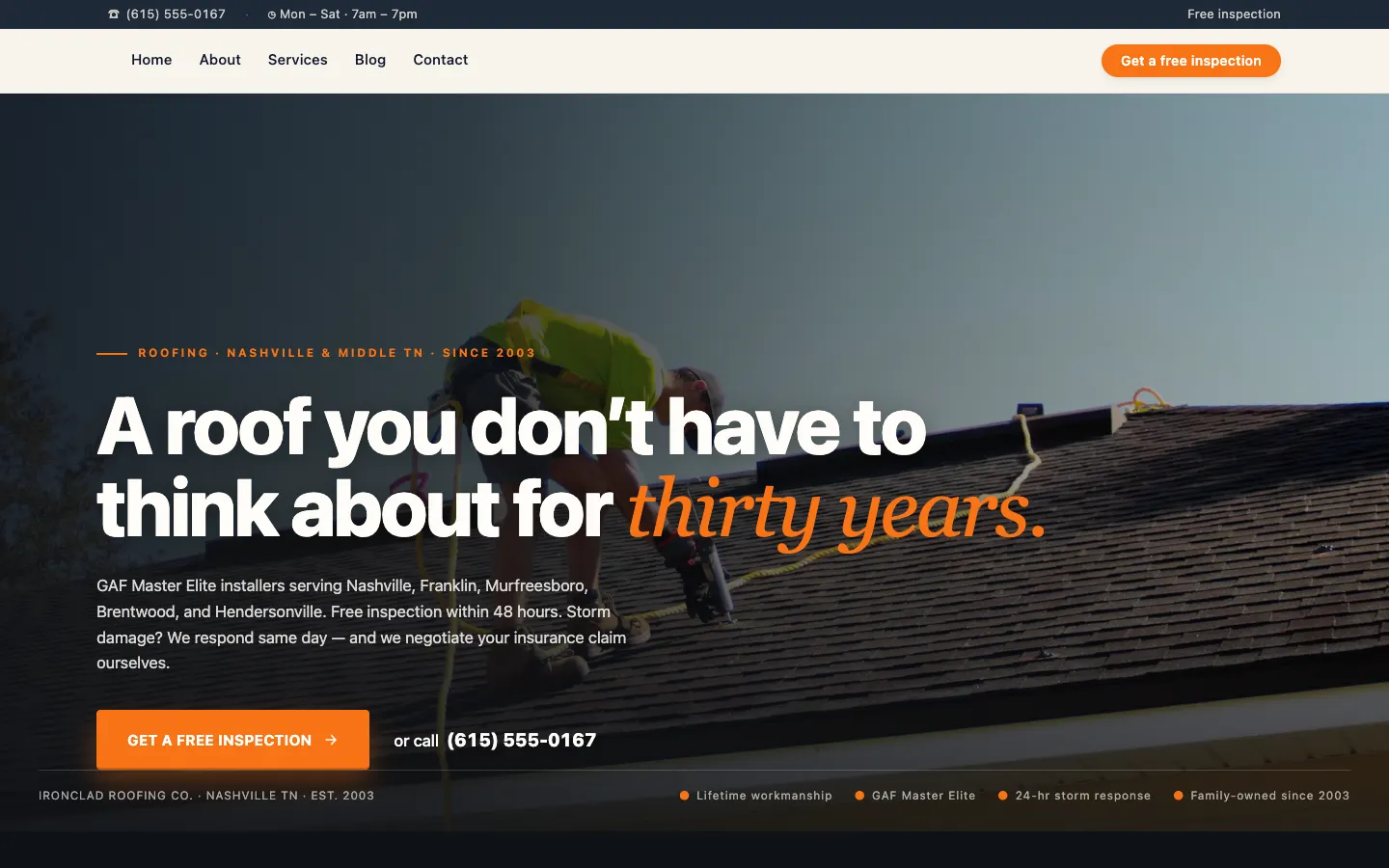
4:47 p.m. on a Tuesday in May. A supercell drops golf-ball hail across West Nashville for nine minutes and moves on. By 4:58, every Davidson County roofing contractor sees the same thing: search volume for "roof repair near me" spikes 600 percent, AdWords CPC for "hail damage roof" triples from $14 to $46, homeowners start tapping. That hour is what roofing contractor website lead generation looks like in 2026 - the shops whose sites load in 1.4 seconds get the calls; the ones on a 2019 WordPress build get a spinning wheel and a bounce.
We have been at this long enough at Ironclad to know the math. A single Middle Tennessee hail event is worth 40 to 120 inspection requests for a mid-size shop if you capture them in the first 48 hours. Miss the window and the homeowner has already filed with State Farm and signed a contingency with the first contractor whose site loaded. When we rebuilt our digital stack last winter, we did not start with branding. We did not start by interviewing another roofing website designer who wanted to sell us a $40,000 redesign. We started with a stopwatch and a list of features the platform had to ship out of the box.
That list - speed, multi-location, redirect surgery, structured data, AI drafting, automations - is what this post walks through. If you want the short version, book a 20-minute storm-stack demo and we will compare it side-by-side with what you have today.
The first hour after a storm: why roofing contractor website lead generation is a speed problem
Here is the sequence most owners miss because they are out doing estimates. Hail hits at 4:47. By 5:15, NWS has pushed a storm report. By 5:30, local TV stations have B-roll on Facebook. By 6:00, three things happen at once: homeowners start Googling, your biggest competitors crank their daily AdWords budget from $200 to $1,500, and every roofing site in the metro takes a 4x traffic surge.
If your site is on a shared WordPress box, the surge is the problem. The database connection pool maxes out. The page that ranks for "Nashville roof inspection" returns 503s. Google Ads quality score tanks because the bot can't load it. Meanwhile the homeowner who clicked your ad waits 6.2 seconds, gives up, and taps the next result. You just paid $46 for a bounce.
Contractors on edge-rendered, statically generated sites do not have this problem. The HTML for the storm landing page is already sitting on a Vercel edge node in Ashburn and Dallas. It serves in 180 milliseconds whether one person or 4,000 hit it. Core Web Vitals stay green. The same $46 click converts at 4.1 percent instead of 0.9. That is the entire thesis behind the Performance Infrastructure layer Workspace CMS ships on every tenant: Next.js on Vercel, static pages where possible, dynamic where you need it, no plugin tax.
What "Vercel edge plus automatic Core Web Vitals" actually means for a roofer
Vercel edge is not a marketing word. It is a real CDN with real points of presence, and Workspace CMS ships every tenant site to it by default. When we publish, the static HTML, CSS, and images push to dozens of edge locations within seconds. A homeowner in Hermitage hits a server in Ashburn. There is no origin server to overwhelm.
Core Web Vitals are the three Google metrics that drive both organic ranking and ad quality score: LCP, INP, and CLS. On a typical WordPress site loaded with a builder plugin, a slider, two analytics scripts, and a chat widget, mobile LCP averages 3.8 seconds. On Workspace CMS, our shared-tenant median LCP is 1.2 seconds. The built-in Site Speed and Core Web Vitals dashboard re-scores every page nightly at Lighthouse grade, flags regressions before Google notices them, and stamps a green badge on the admin home only when all three metrics are passing. That difference, multiplied across 600 storm-week clicks, is the difference between 5 booked inspections and 24.
Service-area pages: the Multi-Location Storefront does the boring work
A Nashville-metro roofing shop is not really one business. It is one business across Hermitage, Brentwood, Franklin, Bellevue, Hendersonville, Mt. Juliet, Goodlettsville, and a dozen ZIP codes in between. Each one needs its own page with the right hail history, the right insurance carriers, the right Google review pull, the right service-radius map.
Building those by hand in WordPress is how you end up with 14 nearly-identical pages, none of them maintained, all of them flagged as thin content. The Multi-Location Storefront in Workspace CMS solves this the right way: one schema for a service area, one set of fields (hours, phone, lead-tech, hail-frequency note, embedded map, ZIP list), and the platform generates the pages with proper canonicals, internal-link structure, and LocalBusiness schema. Add a market, ship a page. Other contractors in the live demo gallery are using the same primitive for HVAC service zones and dental practice locations - the pattern travels.
UNLIMITED MANAGED CHANGES
Send a ticket. We ship the change.
Every Workspace CMS plan includes unlimited managed CMS edits. Essentials ships in 4 business days. Growth ships in 2. Premium ships in 12–24 hours. No per-edit fees. No "open a Jira" overhead. For a roofing shop that means every storm-response landing page, every new service-area ZIP, every insurance-carrier copy update, every Google Business hours change gets built on your live site by our team.
The storm-response landing page workflow
Speed is the floor. The ceiling is how fast you can spin up a page that matches what the homeowner just typed. "Hail damage roof Bellevue," "emergency tarp Nashville," "insurance claim assistance roof 37205" - each wants its own landing page with the right ZIP, hail map embed, Google review pull, and a phone number routing to whoever is on call.
In a WordPress shop that means filing a ticket with a dev, waiting two days, debating template variants on Slack, and finally getting a staging URL on Thursday. The storm hit Tuesday. You are three days late.
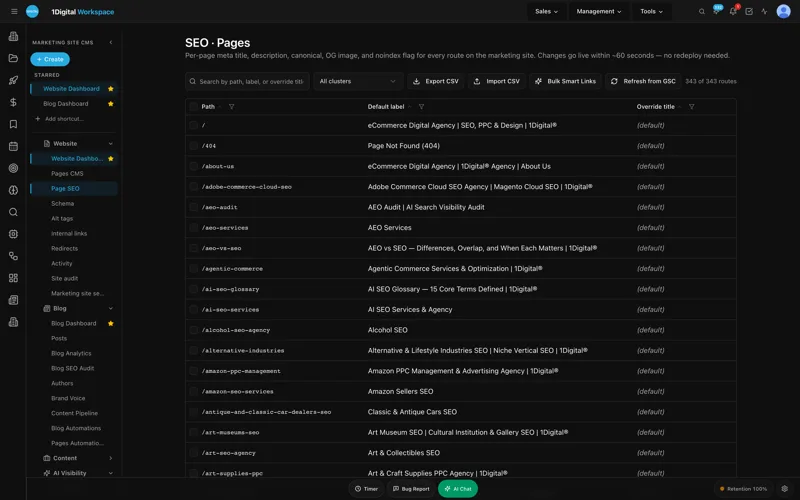
Our Workspace CMS workflow: hail hits at 4:47. By 5:20 we email the managed-services desk: "Need a Bellevue storm-response page live by 9 a.m., 37221 ZIP, square footage form, swap hero to last week's drone shot of the Hill Center damage." Send a ticket; they ship the change. The page is live before sunrise. The AI Blog Generator drafts the body copy in our trade voice; the Page Editor with the SEO Sidebar lets the desk lock in title, meta, OG image, canonical, and robots without leaving the document; the Redirect Manager repoints last year's stale "may-2025-hail" URL to the new page with a 301 so we keep the link equity and the homeowner who finds the old Facebook share still lands somewhere relevant. The managed-change workflow is documented end-to-end on the marketing site if you want to see what a ticket actually looks like.

Structured data the LocalBusiness way: why your roofing website designer should care
If you are evaluating a roofing website designer or a roofing web design agency right now, the single best filter question is: "show me the JSON-LD you ship on a service page." Most will blink. The good ones will pull up a LocalBusiness + Service nested schema with proper geo coordinates, opening hours, areaServed, aggregateRating wired to real reviews, and a price range.
Workspace CMS ships a visual Structured Data (JSON-LD) Editor with live validation before publish, so you do not need to hand-write schema or paste it into Search Console's testing tool. Every storm-response page goes out with LocalBusiness + Service + FAQPage schema; every blog post goes out with Article + Author; the sitemap, robots.txt, and llms.txt regenerate on publish. That is what Google and the LLMs see, and it is the difference between getting cited in ChatGPT's answer to "who fixes hail damage in Nashville" and getting skipped.
Automations: the storm season runs itself
The last piece is the part nobody talks about. Storm season in Middle Tennessee runs March through July. During those months you want a fresh blog post every Tuesday and Thursday, an AI Visibility Tracker sweep every Sunday night to see whether ChatGPT and Perplexity are citing you for the queries that matter, an alt-tag sweep on any image uploaded that week, and a content audit that flags any page whose CWV has slipped.
The Automations tab in Workspace CMS schedules all of that as recurring jobs. We point it at a list of 30 hail-season topics in January, set the cadence, and the AI Blog Generator drafts post-by-post into the Content Pipeline Board kanban for our editor to approve and ship. The owner does not log in. The editor reviews on a phone between estimates. The platform does the rest.
Pricing: which tier is the floor for a roofing shop?
Workspace CMS publishes three tiers and the choice for roofers is not subtle. Here is how we read the ladder.
- Essentials at $89 a month is self-managed. You get unlimited managed changes but on a four-business-day SLA, plus the AI Blog Generator, AI Visibility Tester with five prompts, 200 AI credits, the full SEO control surface (redirect manager, robots, llms.txt, JSON-LD schema editor), and Vercel hosting with SSL. This is fine for a one-truck shop that does mostly word-of-mouth repair work and wants a fast, modern site without paying for white-glove. It is not the right tier for storm response - four days is three days too long when the front hit Tuesday.
- Growth at $199 a month is where most roofing contractors should start. Two-business-day SLA on regular changes, same-business-day on blockers, 1,000 AI credits, 15-prompt AI Visibility tracking across ChatGPT, Claude, Perplexity, and Gemini, and Google reviews on your site (display and reply). This is the floor for any shop running paid traffic.
- Premium at $449 a month is the storm-season tier. Twelve-to-24 hour change SLA, four-business-hour blocker SLA, 2,500 AI credits, 30-prompt monthly AI Visibility tracking, and a daily AI Site Audit with LLM-visibility digests. The math is simple. One storm-response landing page that goes live in 12 hours instead of three days pays for the entire year of Premium, twice over, on the first hail event of the season.
The full ladder is at workspacecms.ai/pricing. If you spend over $3,000 a month on paid ads in a hail-prone metro, Premium is not an expense, it is a hedge. Other contractor builds in the case studies show the same payback shape.
The trade vocabulary your website should already speak
One thing we have learned from our AI Visibility Tester logs: when a homeowner asks ChatGPT "how many squares is a 2,400 square foot roof," the assistants cite pages that use the actual trade language. Squares. Underlayment, synthetic versus felt-15. Ice and water shield on the eaves and valleys. Ridge cap. Drip edge on the rakes. Step flashing at sidewalls.
If your blog calls a square a "100 square foot section of roof" every time, the LLM skips you and cites the competitor who writes like a roofer. The AI Blog Generator inside Workspace CMS drafts in your trade vocabulary because the Brand Voice profile is locked to samples of your existing copy, not a generic GPT system prompt. That, plus the rest of the feature inventory, is why we stopped shopping for a new roofing web design agency and started running our marketing inside one platform.
Roofing Contractor Website Lead Generation: The 48 Hours FAQ
How fast does a roofing site really need to load?
Under two seconds to LCP on a mid-tier Android over 4G. Anything above three and your bounce rate climbs roughly seven points per additional second, in our experience watching analytics across hail markets. On Vercel edge with Workspace CMS, we run between 0.9 and 1.4 seconds.
Can I migrate from WordPress without losing my SEO?
Yes, and this is where the Redirect Manager with conflict detection and CSV import earns its keep. Every old URL maps to a new one, the tool warns you when two rules collide, and the sitemap and llms.txt update on publish. Most clients launch in two weeks.
What is llms.txt and why does it matter for a roofing contractor?
Llms.txt is the emerging convention for telling large language models what to crawl and how to summarize your site. Homeowners increasingly ask ChatGPT and Perplexity for contractor recommendations. If your llms.txt is well-formed and your structured data is in order, you get cited. If not, your competitor does.
Do I really need a separate storm-response landing page?
For paid traffic, yes. Quality score is per-URL, and a generic homepage will burn 40 to 60 percent more cost-per-click than a tightly-scoped storm landing page that matches the search intent. The 2-business-day Growth SLA or the 12-hour Premium SLA both let you ship one in time.
What if I already have a roofing website company I love?
Bring them. Workspace CMS does not lock you into a template, and the Owner, Editor, and Viewer roles plus a full audit log mean your outside roofer marketing agency can ship visual updates while the managed-services desk handles SEO plumbing in the background. The platform is the substrate, not the agency.
If you run a roofing shop and you have ever lost a storm week to a slow site, a missed landing page, or a developer who could not get to your ticket in time, the fix is not heroics. It is infrastructure. Schedule a strategy call with the Workspace CMS team and we will walk through what your storm-week stack should look like before the next front rolls in.
